How to level a shelf with your phone
Short answer: stand the phone on its long edge on the shelf, read which end is low, and raise that end by the millimetres Loodis shows – repeat until the screen says level.
Get it on Google PlayNo ads · No account
Step by step
- Calibrate Loodis once on any table, so the phone's own error is removed.
- Hold the shelf or bracket in place, or put it up loosely.
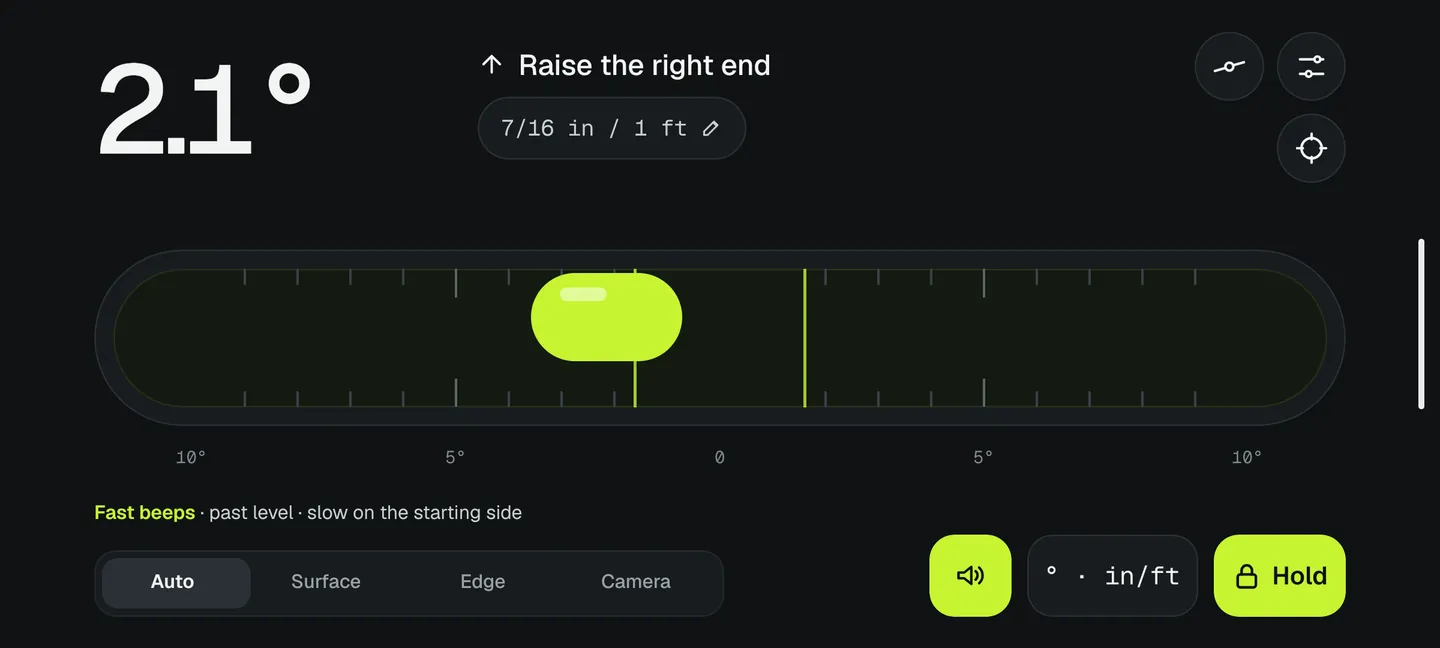
- Stand the phone on its long edge in the middle of the shelf. Loodis switches to the edge level by itself.
- Read the guidance: for example Raise the right end.
- With Pro, set the length of the shelf: Loodis shows Raise the right end by 4 mm.
- Adjust the bracket, or put a shim under the low end, and check again until it says level.
Tips
- Check the bracket first. If you mark the holes with the bracket level, the shelf will be level too.
- Long shelves: measure at both ends and in the middle. A shelf can sag in the middle even when the ends are level.
- Tolerance: in Settings choose how close counts as level (0.1°–1°). For shelves 0.25° is plenty.
- Can't see the screen? With the sound guide (Pro) the beeps tell you which way to go.
How exact does a shelf need to be?
0.1° is about 1.7 mm over a metre. Most people notice a tilt from about 0.5° (9 mm per metre), and round things start to roll at around 1°. Loodis shows the reading to 0.1°, which is well beyond what the eye can see.
Read next
Slope in percent, mm per metre and 1:x
Degrees, percent, mm per metre, 1:x and roof pitch explained with formulas.→Calibrate your phone level on any table
Why level apps are off and how to calibrate one without a level surface.→How to hang a picture straight
Hang pictures and mirrors straight and check door frames for plumb.→Measure it with Loodis
Bubble level for Android. Calibrate on any table, read the tilt in degrees and try every Pro feature three times for free.